Page 10
Select Tool
Select Point
Left-Click to select Voxels.
Left-click and drag to select Voxels like a freehand tool.
Hold Shift and Left-Click to deselect Voxels.
Hold CTRL and Left-Click to add to the selection.
Hold Alt and Left-Click on a Voxel to pick the Voxel color.
Bracket keys adjust the brush size.

Select Line
Left-click and drag to select Voxels in a line.
Hold Shift and Left-click and drag to deselect Voxels in a line.
Hold CTRL Left-click and drag to add to the selection in a line.
Hold Alt and Left-Click on a Voxel to pick the Voxel color.
Bracket keys adjust the brush size.

Select Region
Left-click and drag to select Voxels in a region.
Hold Shift and Left-click and drag to deselect Voxels in a region.
Hold CTRL Left-click and drag to add to the selection in a region.
Hold Alt and Left-Click on a Voxel to pick the Voxel color.

Select Face
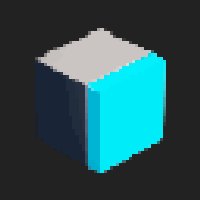 Left-click to select Voxels on a face.
Hold Shift and Left-click to deselect Voxels on a face.
Hold CTRL and Left-click to add to the selection.
Hold Alt and Left-Click on a Voxel to pick the Voxel color.

Select Rect
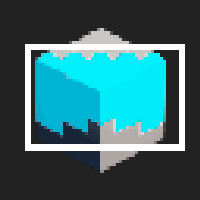 Left-click and drag to select Voxels in a Rectangle on the screen.
Hold Shift and Left-click and drag to deselect Voxels in a Rectangle on the screen.
Hold CTRL and Left-click and drag to add to the selection.
Hold Alt and Left-Click on a Voxel to pick the Voxel color.

Select by Color
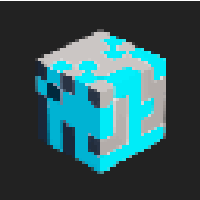 Left-click on a Voxel to select Voxels of the same color.
Hold Shift and Left-click on a Voxel to deselect Voxels in a region.
Hold CTRL and Left-click on a Voxel to add to the selection.
Hold Alt and Left-Click on a Voxel to pick the Voxel color.

Extra Functions
- Select all
- This will select all Voxels in the volume.
- Clear Selection
- This will clear the selection.
- Delete Selected
- This will delete the selected Voxels.
- Flip Selected
- This will Flip the selected Voxels in the selected axis.
- Mirror Selected
- This will Mirror the selected Voxels in the selected axis.
- Rotate Selected
- This will Rotate the selected Voxels in the selected axis by 90 degrees.
- Paint Selected
- This will Paint the selected Voxels with the selected color from the palette.
- Copy as Brush
- This will copy selected Voxels to be used in the Clone sub-tool.